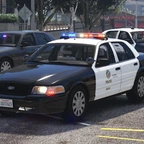
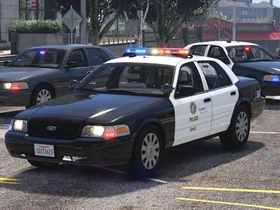
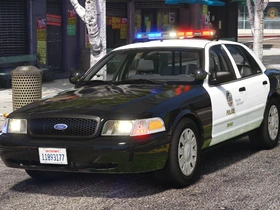
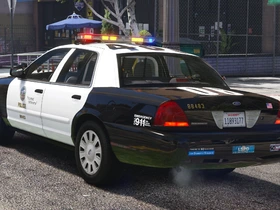
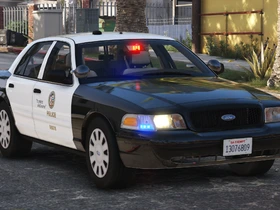
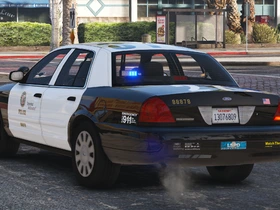
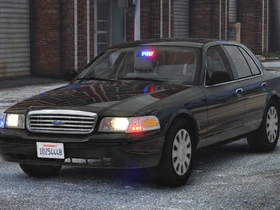
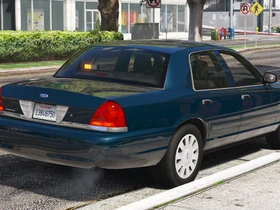
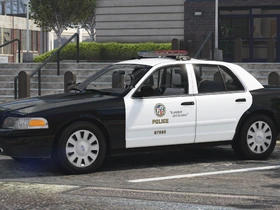
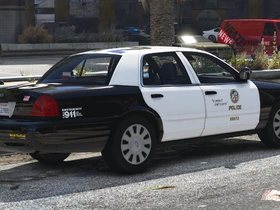
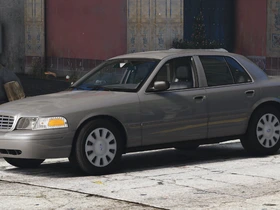
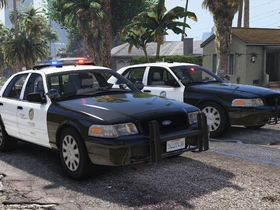
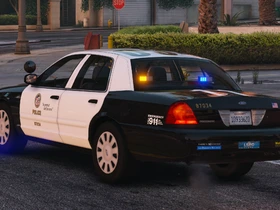
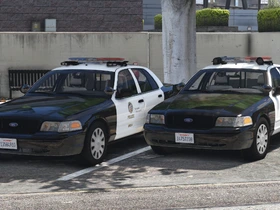
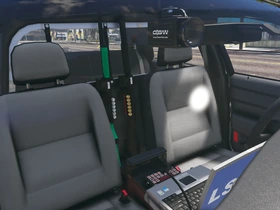
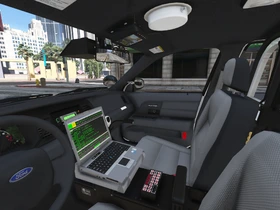
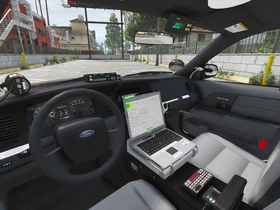
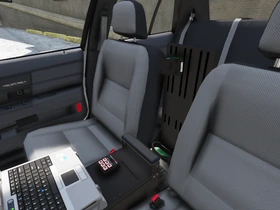
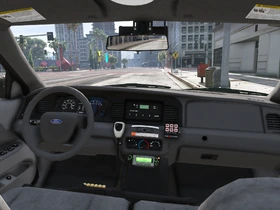
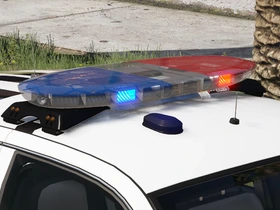
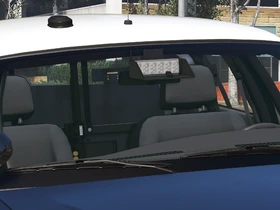
Vehicle Slots: lspdcvpi08, lspdcvpi08a, lspdcvpi08s, lspdcvpi08u (Add-On); police, police2, police3, police4 (Replace)
Lighting Equipment: Federal Signal Arjent S2 and Federal Signal Cuda TriOptic
DLS Support: DLS v2.1 (optional)
Multiple Liveries: Supported
Notes
This modification requires the game to be run with DirectX 11.
Required mods:
- SirenSetting Limit Adjuster: Required for 32 siren support. If not installed, some lights will never flash. Also adds additional siren setting IDs to minimize the risk of conflicts.
Recommended mods:
- DLS (Dynamic Lighting System) v2.1 or newer: Light stages, siren controls and more. Only light stage 3 with simplified patterns will be available when not using DLS.
- Improved Emergency Lights: A modified visualsettings.dat file to increase emergency light brightness. Not necessary if a different graphics mod with brighter lights is used.
- Better License Plates
- Federal Signal SS2000 SmartSiren
Vehicle slots and extra components
Standard Marked, lspdcvpi08 (Add-on) or police (Replace)
- extra 1: Spotlight driver-side folded (50% chance, together with extra 2)
- extra 2: Spotlight passenger-side folded (50% chance, together with extra 1)
- extra 3: Spotlight driver-side up (50% chance, together with extra 4)
- extra 4: Spotlight passenger-side up (50% chance, together with extra 3)
- extra 5: Pushbar (25% chance, together with extra 11)
- extra 6: Gun rack (off)
- extra 7: Partition with shotgun only (on)
- extra 8: Partition with shotgun and less-lethal shotgun (off)
- extra 9: Shotgun for extra 6 gun rack (off)
- extra 10: Dashcam (25% chance)
- extra 11: Radar (25% chance, together with extra 5)
- extra 12: LoJack (25% chance)
Marked with ALPR, lspdcvpi08a (Add-on) or police2 (Replace)
- extra 1: Flat ALPR (50% chance, together with extra 8)
- extra 2: Round ALPR (50% chance, together with extras 5 and 9)
- extra 5: Cuda visor light with mirror (50% chance, together with extras 2 and 9)
- extra 6: Gun rack (off)
- extra 7: Partition with shotgun (on)
- extra 8: Standard mirror (50% chance, together with extra 1)
- extra 9: Mirror windshield adhesive only (50% chance, together with extras 2 and 5)
- extra 10: Dashcam (25% chance)
Slicktop, lspdcvpi08s (Add-on) or police3 (Replace)
- extra 1: Spotlight driver-side folded (50% chance, together with extra 2)
- extra 2: Spotlight passenger-side folded (50% chance, together with extra 1)
- extra 3: Spotlight driver-side up (50% chance, together with extra 4)
- extra 4: Spotlight passenger-side up (50% chance, together with extra 3)
- extra 5: Pushbar (off)
- extra 6: Gun rack, Six-Button siren controller (off)
- extra 7: Partition with shotgun, Smart System LMS siren controller (on)
- extra 8: Passenger side real Cuda light (off)
- extra 9: Shotgun for extra 6 gun rack (off)
- extra 10: Dashcam (25% chance)
- extra 12: Front corner lights (on)
Unmarked, lspdcvpi08u (Add-on) or police4 (Replace)
- extra 5: Shotgun mount (off)
- extra 7: Trunk antenna (off)
- extra 8: Front corner lights (on)
- extra 9: Passenger side real Cuda light (off)
- extra 10: Interior antenna (25% chance)
Images
Credits
- Original vehicle model is Ford Crown Victoria Police Interceptor from Forza, converted to GTA V and edited to 2003-2011 CVPI by HANAKO. Special thanks to Cartres for information, 0taku and Officer Underwood for their base models that were used as references, EVI for his Crown Victoria that was used as a reference for the undercarriage, interior, and taillights, and Cj24, Oleg, Vans123, and the members of Modding Forum for technical support.
- Undercarriage, tires, and rims made from scratch by HANAKO, Tire textures by RobertTM and Cartres.
- Light emissive textures upscaled and colors adjusted by Cartres.
- Base edits with many minor fixes and improvements by Cj24, including many minor improvements to textures, model, LODs, and collisions for improved accuracy and optimization.
- FS Arjent S2 lightbar modeled and textured by Kane104, emissive textures by Cj24. FS Corner LED and Cuda TriOptic modeled and textured by Cj24. Front corner LED reflection and rear corner LED textures by Hanako, color adjustments by Cj24.
- Motorola radio modeled and textured by Kane104. Setina PB100 pushbar, FS Smart System LMS and Six-Button controllers, FS TS100 siren speaker, Havis console, map light, Setina partition, gun mounts, 870 shotgun, Coban Edge dashcam, Decatur Genesis I radar, LoJack display, Dell D610 laptop, dome light, Unity spotlights, and antennas modeled and textured by Cj24.
- Liveries, Lighting and DLS setup, and configuration files by Cj24.
- Undercarriage, tires, and rims made from scratch by HANAKO, Tire textures by RobertTM and Cartres.
- Light emissive textures upscaled and colors adjusted by Cartres.
- Base edits with many minor fixes and improvements by Cj24, including many minor improvements to textures, model, LODs, and collisions for improved accuracy and optimization.
- FS Arjent S2 lightbar modeled and textured by Kane104, emissive textures by Cj24. FS Corner LED and Cuda TriOptic modeled and textured by Cj24. Front corner LED reflection and rear corner LED textures by Hanako, color adjustments by Cj24.
- Motorola radio modeled and textured by Kane104. Setina PB100 pushbar, FS Smart System LMS and Six-Button controllers, FS TS100 siren speaker, Havis console, map light, Setina partition, gun mounts, 870 shotgun, Coban Edge dashcam, Decatur Genesis I radar, LoJack display, Dell D610 laptop, dome light, Unity spotlights, and antennas modeled and textured by Cj24.
- Liveries, Lighting and DLS setup, and configuration files by Cj24.
Installation Instructions
Prerequisites
An up-to-date install of Grand Theft Auto V for PC with a compatible gameconfig.xml (https://github.com/pnwparksfan/gameconfig/releases) and all required limit adjusters are required. More information about prerequisites and required tools can be found here: https://www.modding-forum.com/guide/5-prerequisites-requirements-and-tools-for-installing-mods/
This modification requires the game to be run with DirectX 11.
Recommended – Add-On or Replace: Automatic installation with LML (Lenny’s Mod Loader)
Copy the Replace or the Add-On folder with its contents into your GTAV\lml folder. Open the Mod Manager, select the modification and click the “Copy files to game” button to install the DLS Vehicle Config File.
Manual Installation: Add-On Version
Open the Add-On folder and copy the contents of the Files\GTAV folder to your GTA V folder.
Export GTAV\update\update.rpf\common\data\dlclist.xml using OpenIV, open it with any text editor, and add the following line between </Item> and </Paths> at the bottom of the file:
<Item>dlcpacks:/aclspdcvpi08/</Item>
Replace the original dlclist.xml with the edited one.
To install the DLS Vehicle Config File, copy the contents of the Data Files\DLS\GTAV folder to your GTA V folder.
Manual Installation: Replace Version
Open the Replace folder and copy the contents of the Files\GTAV folder to your GTA V folder.
Export GTAV\update\update.rpf\common\data\dlclist.xml using OpenIV, open it with any text editor, and add the following line between </Item> and </Paths> at the bottom of the file:
<Item>dlcpacks:/aclspdcvpi08replace/</Item>
Replace the original dlclist.xml with the edited one.
To install the DLS Vehicle Config File, copy the contents of the Data Files\DLS\GTAV folder to your GTA V folder.
The following vehicles.meta edits are necessary to ensure that the correct extra components spawn by default.
Export GTAV\update\update.rpf\common\data\levels\gta5\vehicles.meta using OpenIV and open it with any text editor. Open Data Files\vehicles_meta.txt with any text editor.
Each vehicle has one block surrounded by <Item> and </Item>, it begins with <modelName>, followed by the name of the vehicle, and ends with </firstPersonDrivebyData>. In your exported vehicles.meta file, find the block for police, police2, police3, and police4 and replace it with the respective block from this mods’ vehicles_meta.txt file.
Replace GTAV\update\update.rpf\common\data\levels\gta5\vehicles.meta in OpenIV with your edited file.
An up-to-date install of Grand Theft Auto V for PC with a compatible gameconfig.xml (https://github.com/pnwparksfan/gameconfig/releases) and all required limit adjusters are required. More information about prerequisites and required tools can be found here: https://www.modding-forum.com/guide/5-prerequisites-requirements-and-tools-for-installing-mods/
This modification requires the game to be run with DirectX 11.
Recommended – Add-On or Replace: Automatic installation with LML (Lenny’s Mod Loader)
Copy the Replace or the Add-On folder with its contents into your GTAV\lml folder. Open the Mod Manager, select the modification and click the “Copy files to game” button to install the DLS Vehicle Config File.
Manual Installation: Add-On Version
Open the Add-On folder and copy the contents of the Files\GTAV folder to your GTA V folder.
Export GTAV\update\update.rpf\common\data\dlclist.xml using OpenIV, open it with any text editor, and add the following line between </Item> and </Paths> at the bottom of the file:
<Item>dlcpacks:/aclspdcvpi08/</Item>
Replace the original dlclist.xml with the edited one.
To install the DLS Vehicle Config File, copy the contents of the Data Files\DLS\GTAV folder to your GTA V folder.
Manual Installation: Replace Version
Open the Replace folder and copy the contents of the Files\GTAV folder to your GTA V folder.
Export GTAV\update\update.rpf\common\data\dlclist.xml using OpenIV, open it with any text editor, and add the following line between </Item> and </Paths> at the bottom of the file:
<Item>dlcpacks:/aclspdcvpi08replace/</Item>
Replace the original dlclist.xml with the edited one.
To install the DLS Vehicle Config File, copy the contents of the Data Files\DLS\GTAV folder to your GTA V folder.
The following vehicles.meta edits are necessary to ensure that the correct extra components spawn by default.
Export GTAV\update\update.rpf\common\data\levels\gta5\vehicles.meta using OpenIV and open it with any text editor. Open Data Files\vehicles_meta.txt with any text editor.
Each vehicle has one block surrounded by <Item> and </Item>, it begins with <modelName>, followed by the name of the vehicle, and ends with </firstPersonDrivebyData>. In your exported vehicles.meta file, find the block for police, police2, police3, and police4 and replace it with the respective block from this mods’ vehicles_meta.txt file.
Replace GTAV\update\update.rpf\common\data\levels\gta5\vehicles.meta in OpenIV with your edited file.
-
Version 1.1
-
Cj24 -
July 4, 2026 at 5:26 PM -
100.05 MB -
240 Downloads
- DLS: Fixed steady burn staying on when turning off lights while spotlights are on for slicktop.
- DLS: Fixed flickering spotlight corona.
-
-
Version 1.0
-
Cj24 -
June 23, 2026 at 6:03 PM -
99.99 MB -
189 Downloads
-