

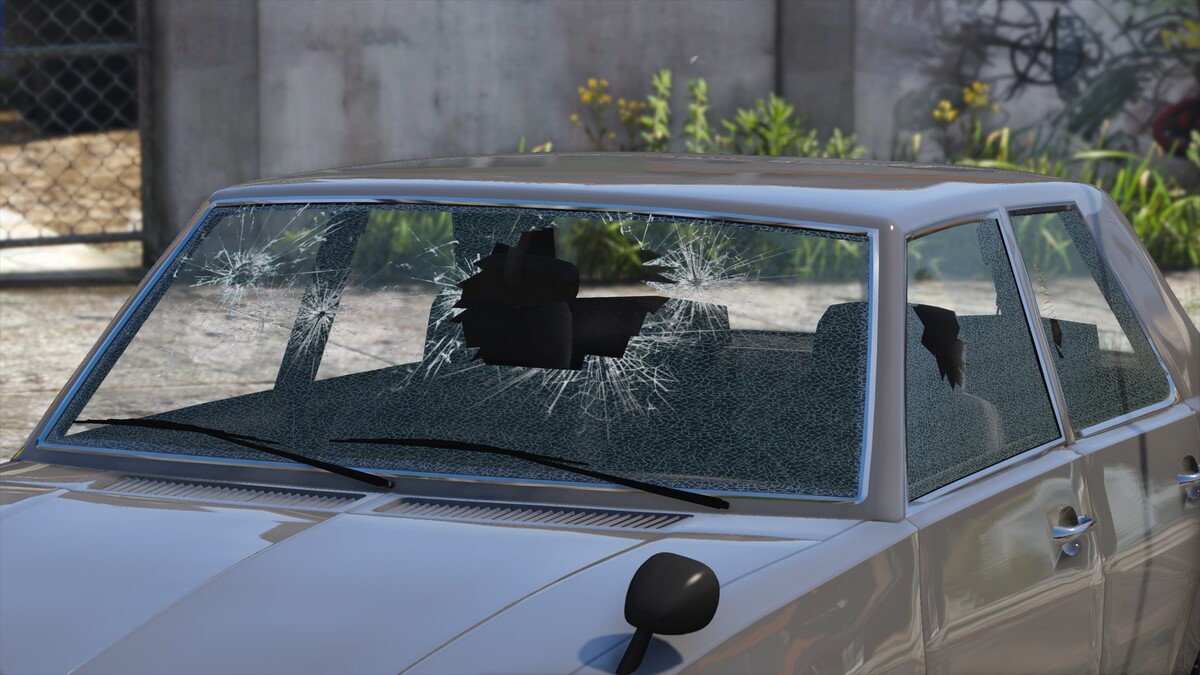
Setting up object properties
Collision IDs are assigned to the collision object under Properties > General > External State > ID in polygon mode.
Since ZModeler 3.1.5, collision IDs and properties and they can simply be selected with the Properties > GTA V > Options tool in polygon mode. If this tool is not available, make sure to select the correct compatibility settings as explained in the ZModeler forums.
Using this tool, set the following attributes and choose the correct window type:

CAR_GLASS_STRONG (ID 122) is used for the front windscreen, CAR_GLASS_MEDIUM (ID 121) for the rear windscreen and CAR_GLASS_WEAK (ID 120) for the side/door windows and lightbar lenses.
Setting up the user-defined options
Other than the "E" and "Mass" fields, an additional "Crash" (with no assigned value) field must be added too to the user-defined options in the object's properties.
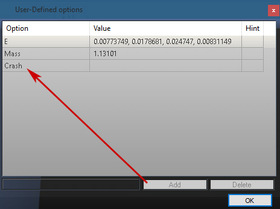
Additionally, the "Crash" field must be added to the user-defined options of all materials assigned to that glass object.

Glass objects & layers
The game uses the L1 LOD to display broken glass, it is therefore always necessary to have at least an L0 and L1 object.
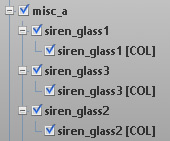
Glass should always have an outer and inner layer, the outer laying being assigned to a normal vehicle_vehglass shader and the inner being assigned to a vehicle_vehglass_inner shader. This inner layer is merely a copy of the outer layer flipped towards the inside of the model. It is recommended that you name your glass parts according to the names used on generic models. For lightbars, make use of "siren_glass1", "siren_glass2", and "siren_glass3" with their respective "siren_glass# [COL]" meshes compound under the parent.


Participate now!
Don’t have an account yet? Register yourself now and be a part of our community!