

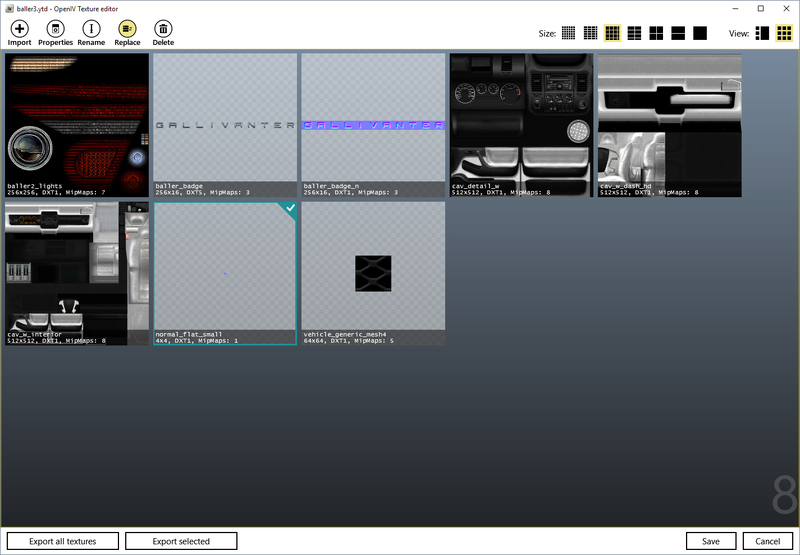
Many texture modifications don't provide a .ytd texture archive, but instead only specific textures, usually in .dds or .png format. To replace original textures with those modified ones, open the .ytd file you want to edit it in OpenIV's texture editor. To open it, either double click the .ytd file or use right click and select "edit". In the texture editor, click on a texture to select it. Then, click the replace button and select the texture you want to replace it with. To add new textures or to replace textures in bulk, you can use the import button instead.
If you are not importing .dds files, you can change compression or mipmaps. These options are explained in seperate guides (Texture Compression and Mipmaps). If you import .dds files, these options are already preset.
After the texture has been replaced, the modified .ytd file has to be saved.
Authors
-

Cj24
AdministratorAccurate Studio
Participate now!
Don’t have an account yet? Register yourself now and be a part of our community!