

When dealing with the welding of edge groupings on models to reduce polys, vertices are welded together and normals are unified that results in a rather unpleasant appearance of normals. See below for comparison between L0 and manually optimized L1 normals on the bumpers.
Standard L0
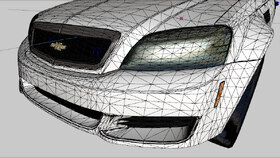
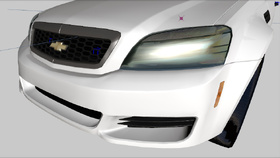
Optimized L1
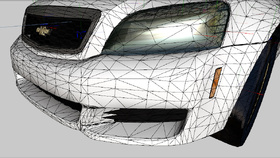
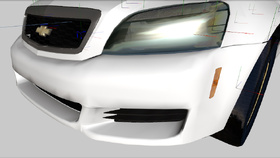
To correct these normals, one must go into polygon mode and select the faces along the lines where the edge groupings were(provided they were welded uniformly and the general curvature maintained) and use the Modify > Submesh > Detach polygons tool whilst ensuring to deselect the "keep original" and "enable drag" fields before detaching.
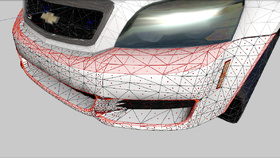
Once you have all the faces selected and have successfully detached them, proceed to deselect all parts in the perspective. Now you can calculate normals in object mode by making use of the Surface > Normals > Calculate normals tool. With the tool, click on each detached part of the bumper to recalculate the normals. Once this is done, you'll notice that result is a sharp edge line formed along the line where the edge groupings previously were.
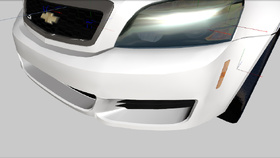
After calculating the normals and the desired look is achieved, you can re-attach all the detached parts to the original mesh again.
Authors
-

Kane104
Accurate Studio
Participate now!
Don’t have an account yet? Register yourself now and be a part of our community!