


I know you fix them in the ELS file but that does not seem to work.
is there some way to get that back?
wigwagging headlamps and reverse lights..
I know you fix them in the ELS file but that does not seem to work.
is there some way to get that back?
wigwagging headlamps and reverse lights..
if I

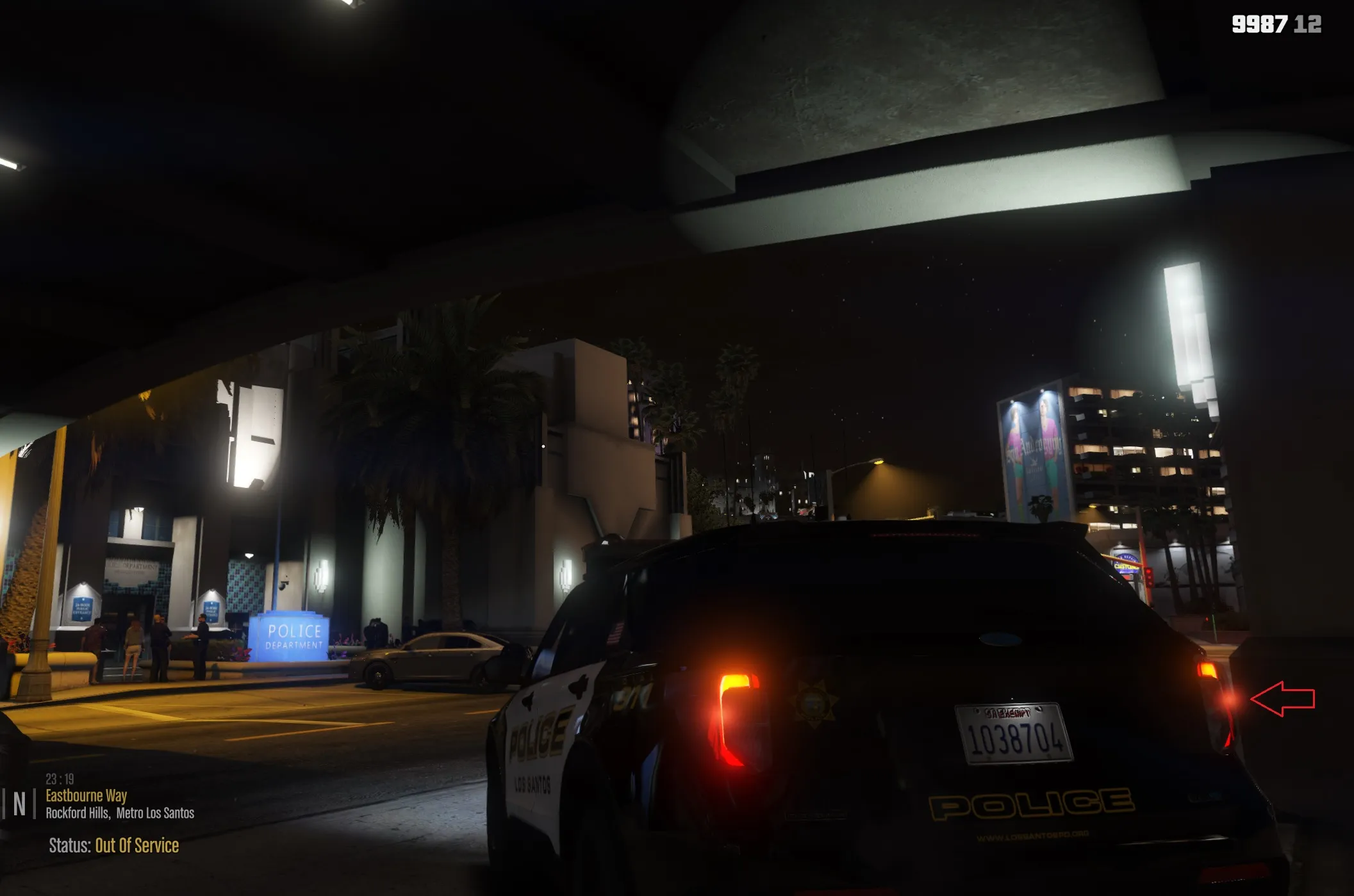
The blurred emissive is the taillight dummy, which emits the lights for the taillights.
You could just move it into the headlight and make any edits to it via the carcols if necessary.
if I move it into headlight, will it make the headlight red?
I finally fixed the tailight. Thank God - it took tons of trial and error.
Only issue is how do I remove the other blurry emissive? or at least make it smaller or something? it looks very weird.
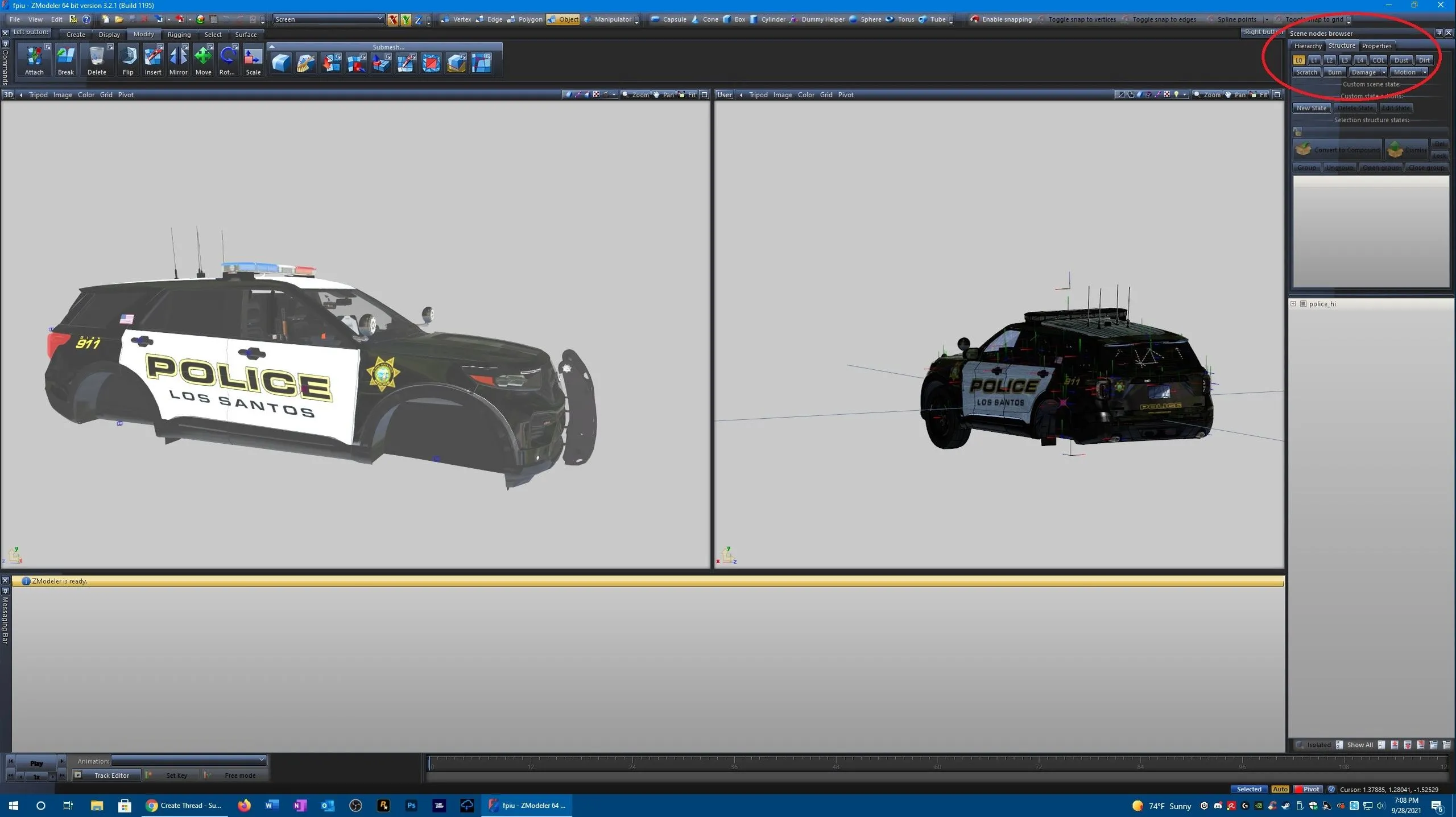
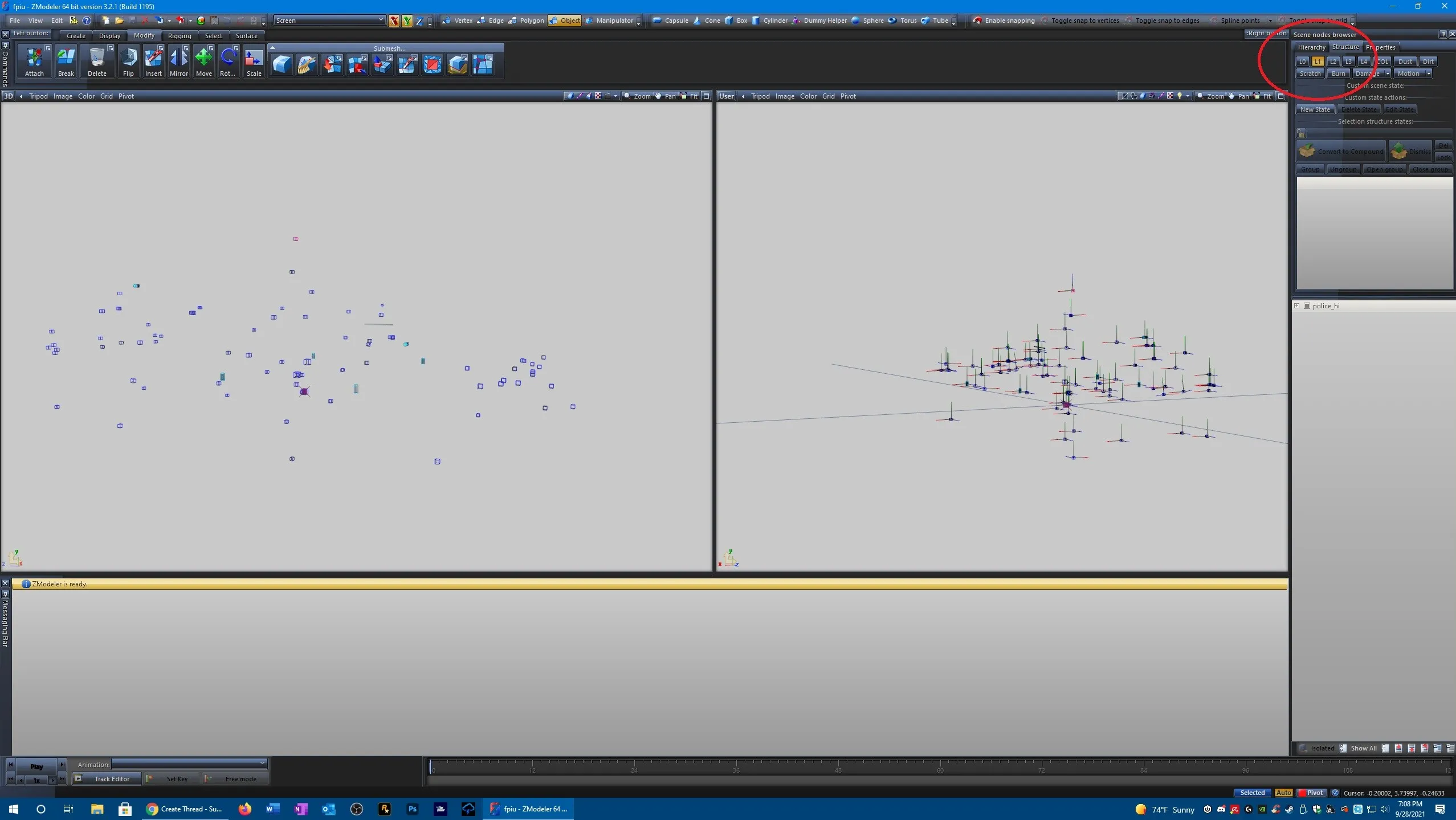
Display MoreThe model does not have any LODs, which is what is causing the issue.
There are two possible solutions to this, one of them is lazy and sloppy, the other one is tedious (and still kind of sloppy).
Solution 1 - increase the L0 distance to the maximum from the vehicles.meta. May cause performance issues and isn't the proper way to address it anyhow, because clients will render the model for miles.
Solution 2 - Go through parts one by one. For instance, we'll take the boot. Uncompound the boot, make 2-3 copies of the L0 (uncompounded part, not the dummy). Hide the L0 and begin making LODs for the part.
I personally use the polygon mesh optimization tool (available in the submesh toolbar) at 75 percent, if you use it, click on the L1 once, the L2 twice, and the L3 three times. The tool merges polygons for you, thus lowering the amount used (on the part). Sometimes that creates holes as it tries to merge two polygons that aren't proportionate to each other, but IMO it doesn't matter, given that people can't see it from distance anyways.
After done with all of that, just compound the part again. Boot dummy as default, the initial part itself as L0, and the rest as L1, L2, L3.
There is a thorough guide for LODs under the guides section here, which explains things more thoroughly. It also includes a section about polygon welding, which might allow you to control the quality of the LODs and merge polygons properly, but I personally use Solution 2. While sloppy, it's fast, and it works (reasonably).
 Article
LOD Models
This guide is explaining the purpose of LOD models and provides information about setting them up. Cj24
Cj24September 23, 2016 at 10:42 AM
I'm trying out the first option first due to ease. I'll keep watching to see the results and performance.
I built this model.
Tested it in the game and it works fine.
The only problem is that while it's responding to a call, the model is invisible as it's approaching from a distance. As it gets closer, the model finally reappears.
I guess I forgot to do something relating to the LOD? Do I need to rebuild the model or do I just need to turn on a setting in Zmodeler?
Screenshots:
Editing the texture in photoshop (or any other photo editing software) would definitely address the issue.
Another thing to consider is texture compression and mipmaps, as they could also cause weird issues. There are guides available under the guides tab here, I recommend taking a gander.
I have the DDS plugin. But not sure what format to select when saving the file... the Guides don't indicate that.
For brakelight textures.
It's an ELS model that has "pink" tail lights...
Is it just a texture I can redo in Photoshop?
Any suggestions on editting the texture? I save as PNG file but wondering what I should consider when making the changes.
I keep trying to make a window darker or have darker tint...
Not sure which material to use.... I chose black because it gives the amount of tint I want but it's flat and doesn't look much like a window (there's no reflection).
Is there a better way to tint and make a window very dark?

Give the screen the headlight ID, it will turn on whenever the headlight is on.
Is this what you're referring to?
Is there a setting somewhere in the vcf file?
or some other file?
That means you have default material on your model in one of your LOD's.
Thanks. Someone provided a Youtube video and it resolved the problem.
Do you know how to aim a light in Zmodeler? I created a spotlight that turns on. But it's aimed in the wrong direction. (not sure how to re-aim the light beam in the right direction)
I wish I'd known that. Never knew that and the Youtube videos don't ever mention that stuff. Thanjks
Also in getting my spotlights to work, I can make the light turn on (using ELS). Works great.
But the beam is pointing toward the rear of my vehicle - not the front.
I don't know how to reposition the beam of light.
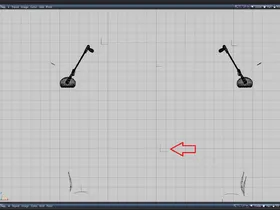
I thought all I had to do was rotate the emissive node (shown by arrow)?
I keep using extra_ten as a way to get my DRLS to turn on and stay on all the time.
But they're not coming on.
I created the light. renamed it 'extra_ten' (also tried naming it headlight_l.)
Is that all I need to do, to make it work?
That worked!!
What a complicated process that was though. I think it was an asset I merged into the work. Caused all those problems!
Usually, when an export is unsuccessful there should be an error message in the message box under the windows.
The only error is Can not obtain Shader material from "Default Material". file:rageexportmaterial.cpp line:129
I don't know what I did.
Everything was fine. All of a sudden, now when I try to export my vehicle (and I'm using the correct file name - matching names), I get a file that is 0kb.
The only error is Can not obtain Shader material from "Default Material". file:rageexportmaterial.cpp line:129
I don't know what happened....
I don't know what I did but for some reason every time I export the vehicle, it gives me a 0kb file.
I'm choosing the same name to export it as the name of the file.
I don't know what I did....
I can't believe this... everything was working fine.
Just can't seem to export the model....
As I mentioned, you should delete the unused materials first.
Oooooh, had no idea there was an 'unused materials' in the Materials Browser.
Duh... Thanks so much!!!
And what are these checkered files? (see screenshot below)
Do I need to do anything with these checkered materials? Or just delete them? (they're not showing up under unused materials and unused textures.)